Firstly, we can examine the structure of the dataset, which is as follows. It comprises the following fields: id, timeAtServer, aircraft, latitude, longitude, baroAltitude, geoAltitude, numMeasurements, and measurements. Here's a detailed explanation of each data field:
•id: a unique ID for each transponder transmission. This ID can be used to refer to specific measurements in the results file.
•timeAtServer: timestamp denoting the time when the measurement arrived at OpenSky’s server. Unit is seconds and it starts at timeAtServer=0 in each data set.
•aircraft: a randomized ID of the aircraft which sent the position report.
•latitude: latitude reported by the aircraft in decimal degrees. This column is null for those positions which should be determined by the localization algorithm.
•longitude: longitude reported by the aircraft in decimal degrees. This column is null for those positions which should be determined by the localization algorithm.
•baroAltitude: barometric altitude reported by the aircraft in meters.
•geoAltitude: geometric (GPS) height reported by the aircraft in meters. This column is null for those positions which should be determined by the localization algorithm.
•numMeasurements: redundant field indicating the number of sensors which recorded the position report.
•measurements: JSON array of triples [sensorID, timestamp, signalstrength].
•serial: unique sensor ID which can be matched with the sensor information table (sensors data table below).
•timestamp: precise timestamp for the detection of the position report at the sensor in nanoseconds.
•signalstrength: indicator of the strength of the report’s signal at the sensor (often in dB).
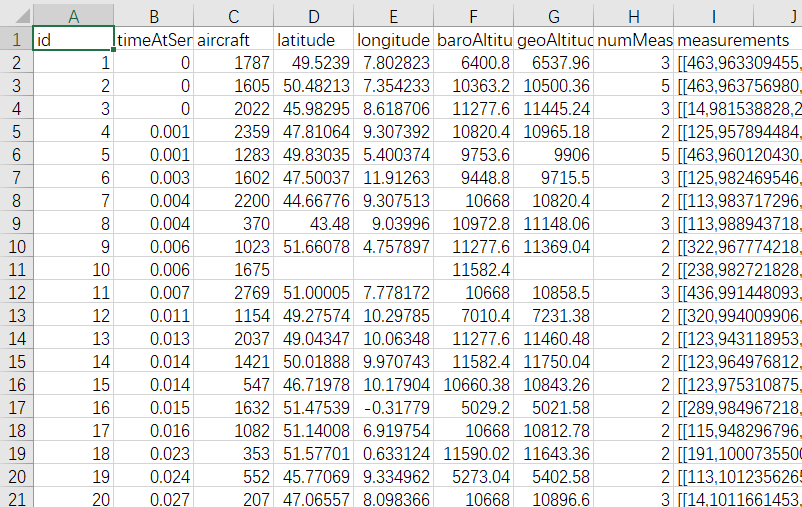
We noticed some missing data points, but these missing data points can be found in another file named "results" where corresponding missing data is documented. Additionally, we observed that there is a lot of unnecessary data here. For training the model, we only require timestamps, latitude, longitude, and altitude. However, we also discovered that this dataset contains data for more than one aircraft. Therefore, we need to first complete the missing data points in this dataset before proceeding with the analysis.
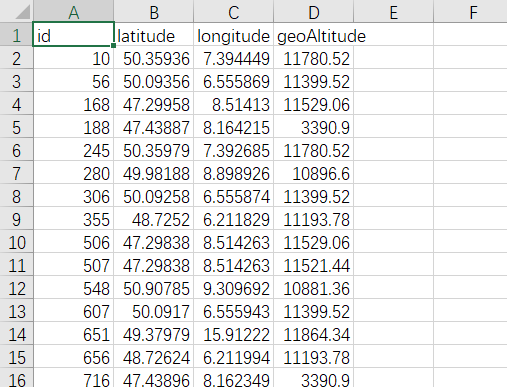
We observed in the dataset that each ID corresponds to an ID in another dataset named "results." Therefore, we will start by completing these missing entries.
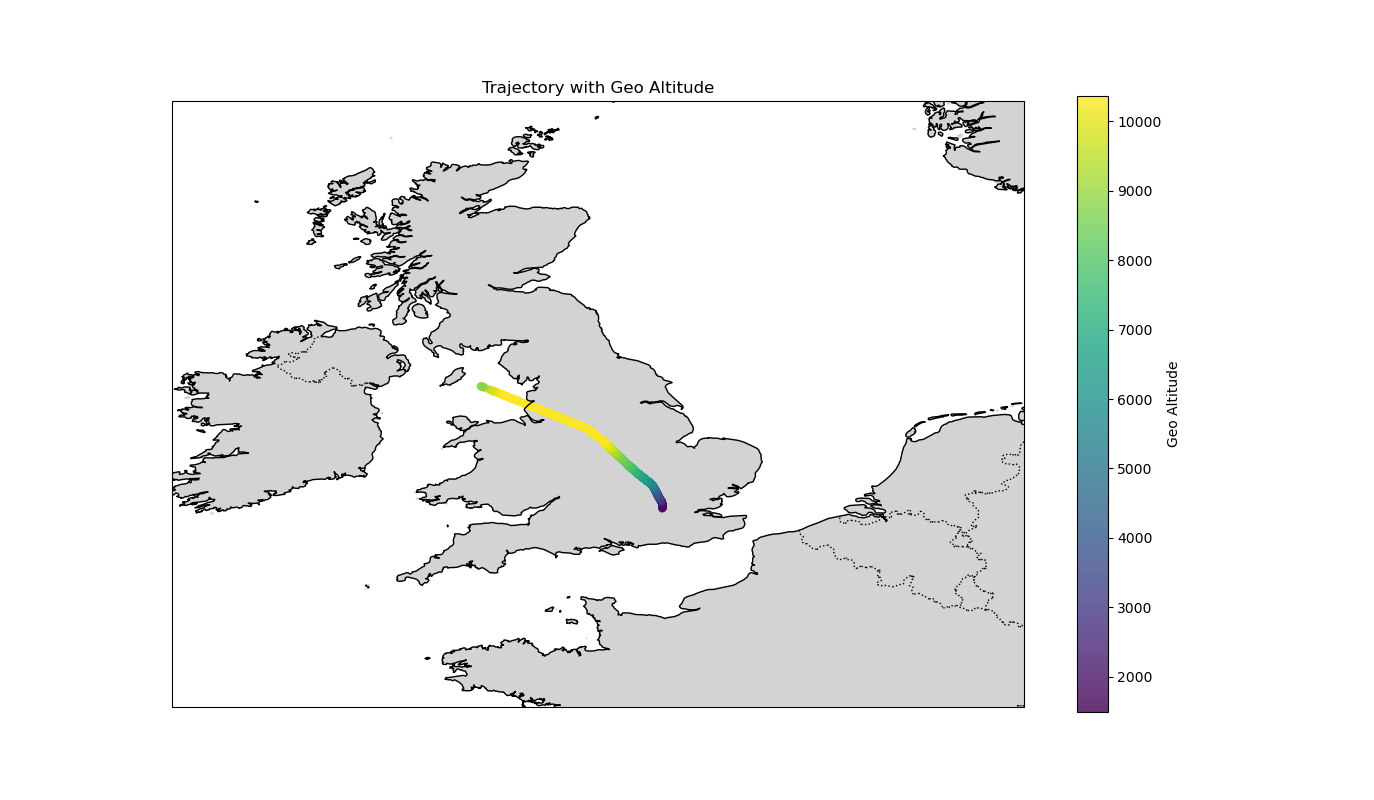
After completing the dataset, we can now analyze the trajectory of a particular aircraft. Below is the trajectory of aircraft 106, where it is evident that this aircraft is flying from London to Belfast.
Great! With this, we have a good understanding of the general structure of the dataset. We can now proceed to prepare for the next section, which involves dataset preprocessing and dataset creation.